
TECHNOLOGY
How Raum Visualisierer works.
The technology behind true-size rugs in real rooms: what happens when a shopper opens the room view, and what it means for your store.
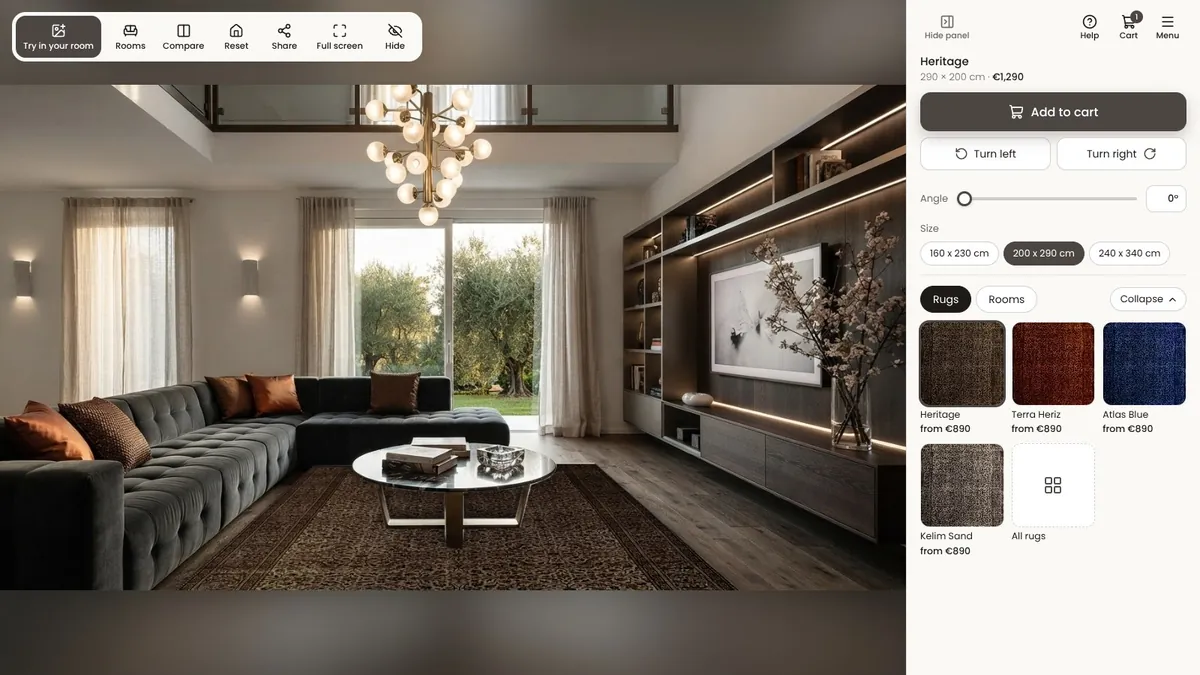
1. True size, not a picture on a picture
Every room in the visualizer is measured: its floor, its perspective and the camera that took it. A rug is placed on that floor at its real dimensions. A 200 × 300 cm rug covers exactly 200 × 300 cm of floor, seen from where the camera stood. The sizes come straight from your variant names (“160 × 230 cm”, “5×8 ft”, “Rund Ø 200 cm”), so switching a size in the room view changes the rug on the floor.
2. Shoppers’ own rooms, measured automatically
When a shopper uploads a photo of their own room, an AI analysis finds the floor, works out the room’s scale and recognises furniture that stands on the floor. The rug is then laid under the sofa legs and behind the table, not over them. If a photo is unsuitable, for example with no visible floor or taken too close, the shopper is told why and how to take a better one.
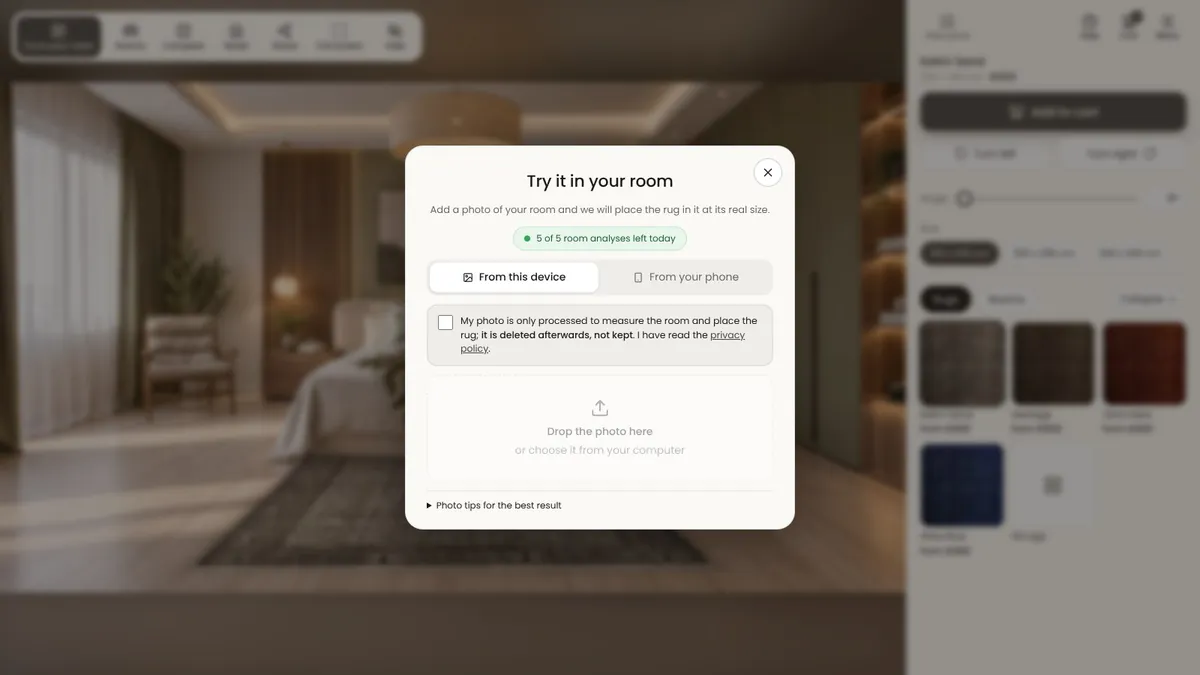
3. Lifelike, not flat
The rug takes on the room’s light: brighter where the sun falls, darker in the shadows. It casts a soft shadow, and its pile and texture stay visible when it is turned or seen at an angle. Rugs can be round, oval or runner-shaped, and their fringes are kept.
4. Your catalogue, ready on its own
After installing, the app reads your products and sizes from Shopify. Each rug photo is cut out automatically, so there is no uploading or editing. New products appear in the room view on their own. You choose which product photo shows the rug in the app’s settings. In a store with several languages, shoppers see the rug names in their own language, also where the store translates its product addresses.
5. Fast on every device
The room view loads only when a shopper opens it, so your product pages stay as fast as before. It runs in the browser with the phone’s or computer’s graphics chip, with no app to install and no plugin. On phones it uses a layout made for one hand.
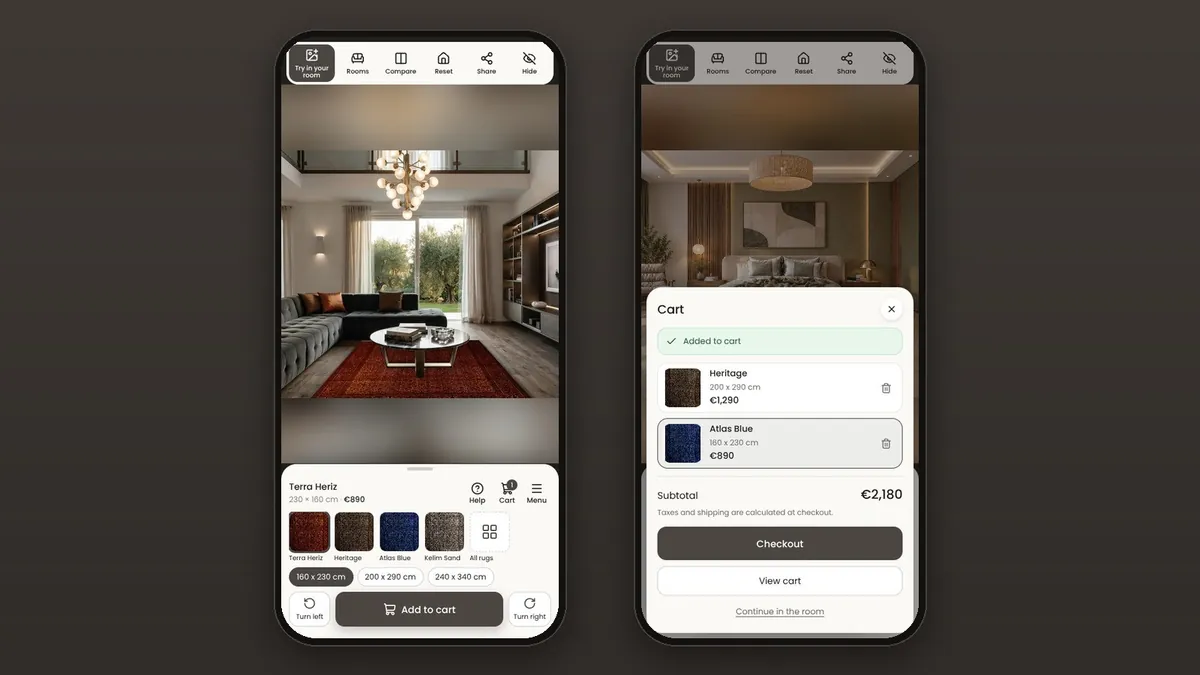
6. Built into Shopify
- Added to the product page as a theme block, with no theme code to edit
- Add to cart and checkout straight from the room view, in your store’s own cart; a one-of-a-kind rug already in the cart is named as such
- Plans and billing through Shopify
- English, German and Turkish; centimetres or feet and inches
- Your brand colours in the room view (Business plan and above)
- Design advice (Business plan and above): a window in the room view where shoppers call you within your opening hours or leave their number; requests appear in the app, no e-mail needed
- Your own logo in the room view and on the images and PDFs shoppers share (Premium)
- Analytics in the Shopify admin: which rugs are viewed, compared and added to the cart
7. Privacy by design
- Shoppers’ room photos are processed in memory and not stored.
- The app and the analysis service run on Google Cloud in the European Union (Belgium).
- Usage is counted only with the shopper’s consent from your store’s cookie banner. Without it nothing is sent, and the room view keeps nothing on the device beyond what the shopper chooses to keep, such as favourite rugs.
- Design advice requests carry the shopper’s consent in your store’s name, with a link to your own privacy notice, and are deleted after 12 months.
- A data processing agreement with the EU Standard Contractual Clauses is available.
Details: privacy policy for the Shopify app · data processing agreement
8. Reliable
The service is monitored around the clock, every change is checked automatically before it goes live, and the room view is tested in a real browser every night. If the room analysis is ever unavailable, the ready-made rooms keep working.